Know before you hit your Claude Code or Codex limit
Running out of your 5-hour window in the middle of a task is the worst time to find out. Vibe Island watches your AI coding limits and gives you a short alert beside the notch when a limit reaches your alert level, when it runs out, and when it resets.
Three alerts, one glance
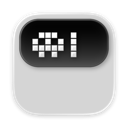
An alert opens beside the notch for a few seconds: the provider on the
left, the window and percentage on the right, like 5h 80%.
Orange means you reached an alert level, red means the limit is used
up, and green means it has reset. Each has its own sound, and none of
them steal focus or open the panel.
Set the levels that matter to you
The default alert level is 80%. Add more levels, up to six between 10% and 95%, or remove the ones you don't want. Choose which windows to watch: the 5-hour window, the weekly and longer windows, or both. A Preview button shows exactly what an alert will look and sound like.
Never miss a reset
When a window refills on schedule, you get a reset alert at that moment. When it refills early, the alert reads Reset so you know it was an extra reset. If your Mac was asleep when a window reset, you're told the next time usage refreshes.
No repeats, even after a restart
Each alert level fires once per window, per account. Usage that hovers around the line, two accounts refreshing in turn, or relaunching Vibe Island won't trigger it again. Turning an alert off and back on doesn't replay the ones you missed.
On your iPhone when you're away
If you use iPhone notifications, the same warning, used-up and reset alerts go to your phone while you're away from the Mac. Each window keeps a single notification that updates instead of stacking up.
Reset card arrivals
When a reset card lands in your account, the island shows it. For Codex reset cards you're also reminded before one expires, so it doesn't go unused. Announced resets are tracked on the Codex reset and Claude reset status pages.
Common questions
Can Vibe Island warn me before I hit my Claude Code or Codex limit?
Yes. When a 5-hour or weekly limit reaches your alert level, 80% by default, a short alert opens beside the notch with a sound. You get another one if the limit runs out, and a third when it resets.
Can I set more than one alert level?
Yes. Add up to six alert levels between 10% and 95%, and choose whether to watch the 5-hour window, the weekly and longer windows, or both. The used-up alert at 100% is always on while usage alerts are enabled.
Will I get the same alert over and over?
No. Each level fires at most once per limit window, per account. Usage that hovers around the line, switching accounts, or restarting the app won't repeat it.
Does it tell me when my limit resets early?
Yes. A reset alert appears when a window refills. When it refills before its scheduled time, the alert reads Reset so you can tell it was an extra reset.
Can I get usage alerts on my iPhone?
Yes. With iPhone notifications set up through the Bark app, the same alerts go to your phone when you're away from your Mac.
Which providers are covered?
Every provider whose usage Vibe Island shows in its header, including Claude and Codex. Accounts you're not currently using still get reset alerts, so you know when to switch back.
Part of usage tracking
Alerts sit on top of Vibe Island's live usage tracking, which keeps your current percentage and reset countdown in the notch. Not sure how the windows work? Read Claude Code rate limits explained and Codex rate limits explained.
Vibe Island · macOS 14+
Never get surprised by your AI coding limits
Download Free Trial2-day free trial · all features included · no card required